Look. Choose. Play.
Find the highlighted position and tap a note name. Ten questions make one short round.
30 seconds per question FretomoMAKE FRIENDS WITH THE FRETBOARD.
GUITAR FRETBOARD NOTE TRAINER
You know where your fingers go.
Now put a name to the note.
Turn fretboard practice into a little game. Two choices, visual hints, and tricky spots to come back to.
Free to download · Contains ads · English & Japanese
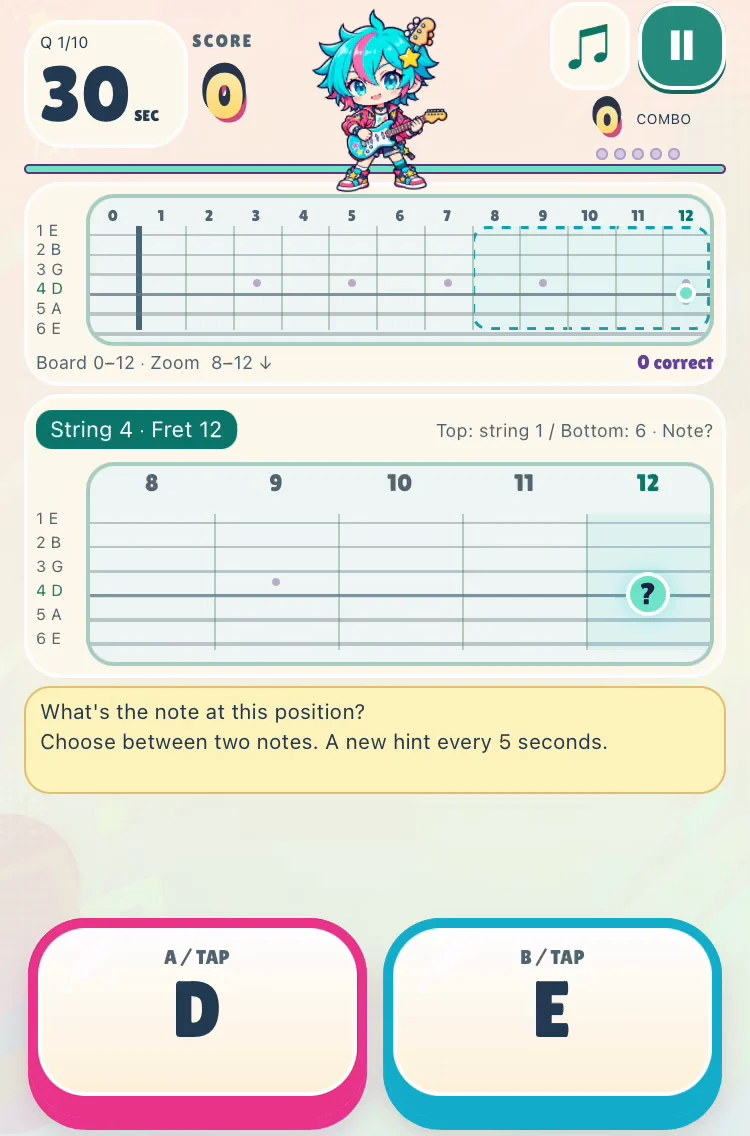

ACTUAL APP SCREEN
6 stringsStandard tuning
0–12 fretsOne position at a time
2 choicesPick the note name
5 hint stagesA little help along the way
A LITTLE FRETBOARD CHECK
Here's one to try. The highlighted spot is on string 2, fret 3. What note is it?
Pick C or D. Then take a whole round with you on your iPhone.
A little stuck? Start with the open string: B → C → C♯ → ?
Pick a note to try it.
A quick website demo. Your answers are not saved.
YOUR NEXT GUITAR HABIT
For guitar players who want to connect
fret positions with note names.
Find the highlighted position and tap a note name. Ten questions make one short round.
30 seconds per questionHints appear every five seconds: a C landmark, a nearby shape, or a matching note on another string.
5 stages of visual hintsSlow answers, wrong answers, and timeouts mark positions for review. Practice the spots that need another go.
Built-in reviewSEE IT IN ACTION
Watch an English-language question, a correct answer, and the review entry in this 15-second look at Fretomo.
English app footage · Music and sound effects
Sound plays when you start the video.
The app shows a highlighted fretboard position and two English note-name choices. A correct tap plays a guitar sound, then the next question appears. The final scene shows the home screen and review entry. The video uses recorded app screens with edited music and sound effects. There is no spoken narration.
BEFORE YOUR FIRST ROUND
Yes. Fretomo is free to download and contains ads. You can practice note names, use hints, and review tricky positions.
An iPhone with iOS 16.4 or later. The app supports English and Japanese. Practice doesn't require a guitar or microphone: answer by tapping the note name.
All six strings in standard EADGBE tuning, from open strings to fret 12. You can choose the strings you want to practice. Sharp and flat names for the same pitch are accepted.
A correct answer in under 10 seconds counts toward mastery. A slow correct answer, wrong answer, or timeout marks the position for review. It leaves review when its cumulative mastery rate exceeds 80%, and returns if that rate falls to 80% or below.
Your learning records are stored on your device and can be erased in Settings. See the privacy policy for details about ads, Game Center, and website analytics.
MAKE FRIENDS WITH THE FRETBOARD.
Ten questions. Two choices. A little more familiar.
FREE FOR iPHONEGet FretomoiOS 16.4+ · Contains ads